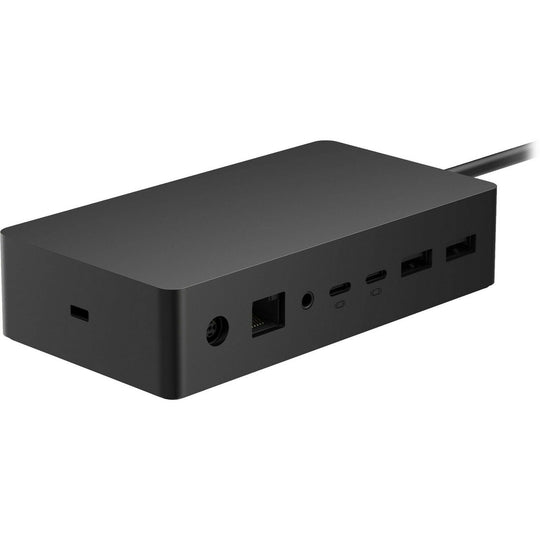
The Microsoft Surface Laptop is known for its sleek design, powerful performance, and portability. However, with the increasing demands of professional and personal tasks, users often seek to expand its functionality and connectivity. A docking station can transform your Microsoft Surface Laptop into a versatile workstation, offering a seamless transition between mobility and a fully-equipped desktop environment. This article explores how a microsoft surface laptop docking station can enhance productivity and streamline your computing experience.
Benefits of Using a Docking Station
A docking station amplifies the capabilities of your Microsoft Surface Laptop by:
- Enhanced Connectivity: Gain access to multiple ports including USB, HDMI, Ethernet, and more, ensuring you can connect all necessary peripherals effortlessly.
- Dual Monitor Setup: Enjoy the convenience of multi-tasking with support for dual monitors, providing extended screen real estate for improved workflow.
- Power Management: Efficiently charge your laptop and connected devices through a single hub, reducing cable clutter and management hassle.
Choosing the Right Docking Station
Compatibility and Features
When selecting a docking station for your Microsoft Surface Laptop, ensure compatibility with your specific model. Look for features that align with your requirements, such as:
- Support for 4K display output for high-resolution monitors.
- Fast data transfer rates with USB 3.0 or Thunderbolt 3 ports.
- Ease of installation and plug-and-play capability.
Portability vs. Stationary Use
Consider whether you need a portable solution for on-the-go use or a stationary dock for office setup. Portable docks offer flexibility, while stationary ones provide a robust solution with more ports and features.
Setting Up Your Docking Station
Once you have chosen the right docking station, setup is straightforward:
- Connect the docking station to a power source if needed.
- Attach peripherals such as keyboards, mice, and monitors.
- Connect the docking station to your Surface Laptop using the appropriate port.
- Install any necessary drivers or software as prompted.
Ensure that all devices are recognized and functioning correctly. Adjust display settings if utilizing multiple monitors to optimize viewing preferences.
Maximizing Productivity
With the enhanced capabilities provided by a docking station, productivity can reach new heights. Seamlessly switch between tasks and manage complex projects with ease. Whether you’re a professional working with multiple applications or a creative needing expansive screen space, a microsoft surface laptop docking station offers the flexibility and power needed to meet diverse demands.
Conclusion
Elevating the functionality of your Microsoft Surface Laptop with a docking station can significantly impact how you work and interact with technology. By expanding connectivity, enhancing display options, and streamlining device management, a docking station is an invaluable addition to any setup. Explore the variety of options available to find the perfect docking station that complements your professional and personal needs.